


DeepSearch AI People Finder
4.320.00 Reviews
App Specs
- Version
- 1.5
- Updated On
- License
- Free
- Downloads
- 100,000+
- Developer
- HYPE Software LLC
- Categories
- Lifestyle
- Platform
- Android
Screenshots
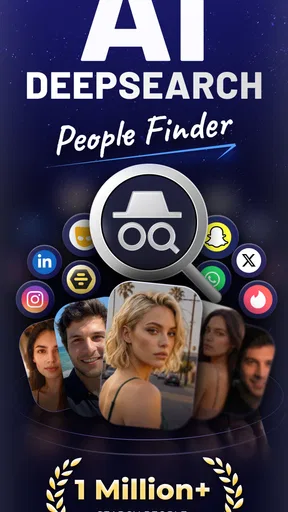
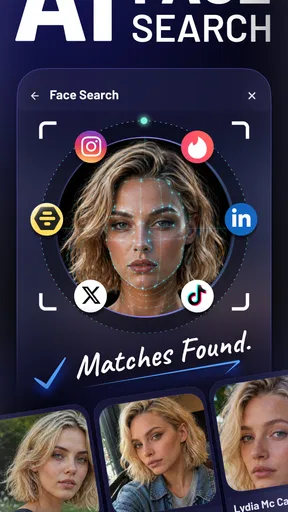
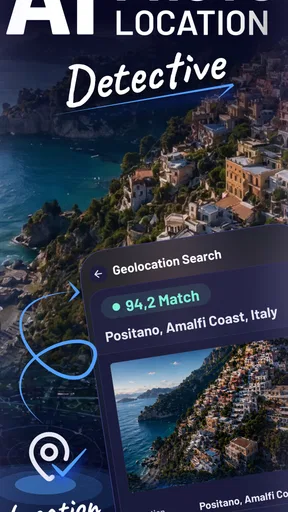
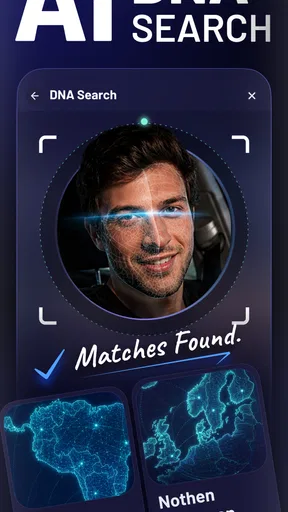
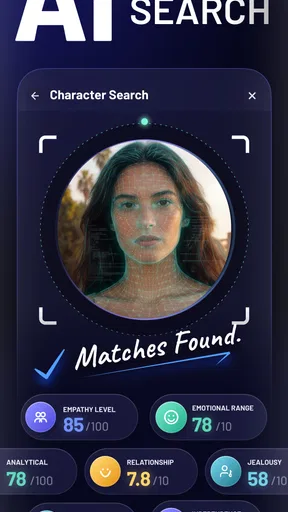
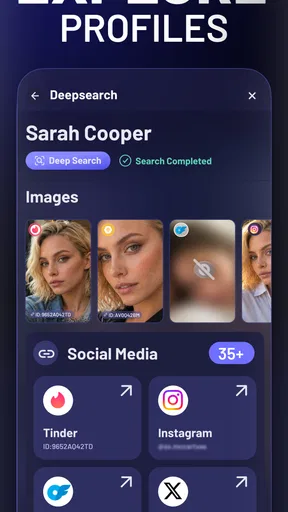
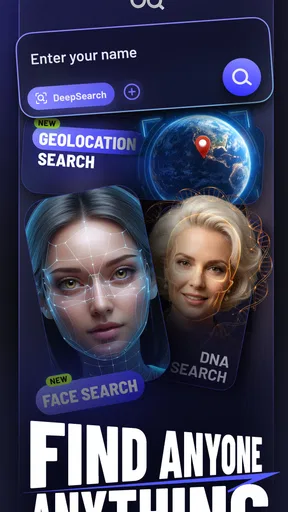
 Analysis by AppCompare
I tried DeepSearch AI People Finder as a lifestyle app built around one simple idea: helping you look for social media accounts from a single place. That sounds useful when you are trying to reconnect with someone, check whether a public profile belongs to the right person, or reduce the time spent searching across several platforms. My first impression is that its appeal comes from convenience rather than complexity. It is not presented as a general social network or a messaging service; its purpose is much narrower and easier to understand.
That narrow focus is also what makes it worth judging carefully. A people-finder tool can save time when a search is straightforward, but it cannot turn an uncertain name into reliable identification every time. I would treat this app as a search aid, not as a private-information shortcut. That distinction matters, especially when several people share a name or when a profile is not publicly discoverable.
How DeepSearch AI fits into everyday searches
In practical terms, the app is aimed at finding social media accounts. I can imagine opening it after meeting someone at an event, trying to locate an old classmate, or checking a public account before sending a follow request. The useful part is the possibility of beginning with one search workflow instead of manually repeating the same name on different services.
A realistic example would be looking for a former colleague whose name is common. I would enter the information I already know, compare the results with details such as location or profession when those are visible, and then stop if the matches remain ambiguous. That last step is important: a result that looks plausible is not automatically the right person. The app may help me narrow a search, but I still need to verify the identity responsibly.
The developer behind it is HYPE Software LLC, and the app sits in the lifestyle category. Its store summary describes the purpose as finding social media accounts, while the short description uses the name DeepSearch AI. Those labels set a fairly clear expectation: the experience is centered on discovery, not on managing contacts, posting updates, or communicating inside the app.
Because the task is search-oriented, the quality of the experience depends heavily on the input I provide. A full name alone may be too broad. Adding a city, workplace, school, username fragment, or another non-sensitive clue can make a search more useful, provided I am using information I have a legitimate reason to use. I would avoid treating the app as a way to investigate strangers or bypass someone’s decision to keep an account difficult to find.
What the free starting point really means
DeepSearch AI is free to install, which makes it easy to test before deciding whether it belongs in my regular toolkit. That free entry matters because the usefulness of a people-finder depends on the kind of search I need to perform. If my searches are occasional and simple, I may get enough value without spending anything. If I need broader access or repeated searches, the purchase structure becomes more important.
Worth Reading Before You Choose

EA SPORTS FC Mobile 26 Is a Bigger Football Game, but It Takes Time

Flipboard Shows What News Apps Must Do Beyond the Feed

Switching to Android Auto Means Rethinking Your Driving Routine

Google Calendar Makes a Crowded Week Easier to Manage

Ludo King Makes the Most of the Minutes Between Plans

Baby Panda World Brings Quick Play to Modern Phones, but Its Game Library Feels Busy
The app includes in-app purchases ranging from $3.99 to $79.99 per item. I would not interpret the existence of those purchases as proof that every useful function requires payment, nor would I assume that paying guarantees a correct match. The sensible approach is to explore the free experience first, understand what it actually returns, and only then decide whether the paid option solves a problem I genuinely have.
This is one of the most important cost-related trade-offs. A free download lowers the risk of trying the service, but it does not automatically make the overall experience free for every type of use. Before confirming a purchase, I would check exactly what the selected item unlocks and whether it fits a one-time search or a recurring need. With prices reaching the higher end of that range, an impulse purchase would be difficult for me to justify without seeing clear practical value first.
I also would not compare the highest purchase amount with the cost of ordinary social apps, because they serve different purposes. The relevant comparison is the time saved and the quality of the search results. If I can find a public account quickly through normal platform searches, paying here may add little. If the app organizes a difficult search more efficiently, a lower-priced option could be easier to justify, but only after I understand the purchase screen and its conditions.
Where the app can save time
The strongest value is convenience. Searching social platforms one by one can be repetitive, especially when I am unsure which service a person uses. A dedicated people-finder gives me a focused place to begin and may reduce the mental effort of switching between apps, remembering different search formats, and checking the same spelling repeatedly.
Another useful angle is comparison. Instead of accepting the first apparent match, I can use the search process to look for consistent public clues across possible accounts. A profile picture, occupation, general location, or shared interest may help distinguish one person from another. I would still regard those clues as supporting evidence rather than confirmation, but having them together can make a cautious decision easier.
A less obvious benefit is that the app can encourage a more deliberate workflow. When I search directly inside several social networks, I may jump quickly from one result to the next and lose track of why a profile seemed relevant. A single-purpose tool makes it easier to pause, compare, and decide whether I have enough information to proceed. For me, that is more valuable than simply producing a long list of possible names.
There is also a practical use for people who are trying to reconnect rather than monitor. If I have an old friend’s name and one reliable detail, a search tool can provide a starting point for a respectful public-contact attempt. I would use it to locate an account, then send one clear request or message through the platform itself. I would not keep searching indefinitely if the person does not respond.
The real value is faster discovery, not guaranteed identification. Keeping that expectation in mind prevents the app from feeling disappointing when a search produces several possibilities or no obvious result. It also helps me decide whether a paid feature is worth considering: payment should improve the workflow, not replace judgment.
Limits that affect reliability and privacy
The biggest limitation is ambiguity. Names are not unique, usernames change, and people may use different photos or spellings across platforms. Even an apparently strong match can belong to someone else. I would never use a result from this app as the sole basis for a serious decision about a person.
Search coverage can also be uneven from one person to another. A public account may be easy to locate, while another person’s online presence may be fragmented or difficult to connect. That means the app is more naturally suited to finding public-facing accounts than to locating someone who has deliberately kept a low profile. If privacy is part of the person’s intention, I would respect it rather than trying to work around it.
There is a human cost to careless searching as well. People-finder tools can be used for harmless reconnection, but they can also encourage unwanted attention. I would avoid searching sensitive personal details, sharing results with others, or using a possible match to contact someone repeatedly. The responsible workflow is simple: use only information you already have a legitimate reason to use, verify cautiously, and stop when the search becomes intrusive.
The purchase model introduces another point of friction. A free installation lets me evaluate the basics, but the range of paid items means I need to pay attention before tapping a purchase button. I would read the wording on the purchase screen, identify whether the item is suited to my exact task, and avoid buying merely because a search feels incomplete. The app can be convenient, but convenience is not the same as certainty.
It is also worth remembering that a dedicated finder is not necessarily better than the usual alternatives for every search. If I know the person’s exact username, searching directly on the relevant social network may be faster and clearer. If I only want to reconnect with someone I already know, mutual contacts or a normal message may be more respectful. DeepSearch AI makes more sense when the problem is scattered searching, not when the direct route is already obvious.
Small changes that make searches more sensible
I would begin with the least revealing information that can reasonably narrow the search. A name plus a broad location or shared context is preferable to collecting unnecessary personal details. This approach reduces the chance of confusing unrelated people and keeps the search aligned with a legitimate purpose.
I would also record why a result appears relevant before opening more possibilities. For example, I might note that the public profile uses the same professional field and general area I already know. If another result only matches a name, I would rank it lower rather than treating every result equally. This simple habit prevents confirmation bias, where I decide too quickly that the first plausible account must be correct.
Another useful practice is to stop after a reasonable search. Repeating the same query with increasingly personal clues rarely improves a situation that is fundamentally ambiguous. If the app does not produce a trustworthy lead, the better choice may be to ask a mutual acquaintance or wait for the person to share their account directly. No search tool should pressure me into crossing a privacy boundary.
For paid use, I would test one ordinary search before committing to a more expensive item. I would compare the time saved with what I could have done manually, then decide whether the result quality justifies spending. Since the available purchase amounts vary considerably, the right value calculation is personal: an occasional user may prefer the free experience, while someone with a genuine recurring need may value a more capable option.
Who is likely to appreciate it
I think DeepSearch AI is best for people who regularly need to locate public social accounts but do not want to repeat the same search across several platforms. It may suit event organizers, freelancers, community members, or anyone trying to reconnect with an old acquaintance when they have a few useful clues but not an exact username.
It can also help users who prefer a guided, focused tool over a collection of separate manual searches. The app’s lifestyle positioning makes sense here: its role is practical and personal rather than professional investigation. I would use it for low-stakes discovery, then move the conversation to the relevant social network if the person chooses to respond.
On the other hand, I would skip it if I already know the exact account handle, because the social platform’s own search is likely the more direct route. I would also skip it if I expect a guaranteed identity match, private-account access, or detailed background information. Those expectations go beyond what a responsible public-account finder should promise.
Parents, employers, and anyone making decisions about another person should be especially cautious. A possible social profile is not a complete picture of someone, and a mistaken match can cause real harm. In those situations, I would favor direct consent, official processes, or human verification over relying on an app result.
My verdict after weighing the value
DeepSearch AI People Finder is an interesting free-to-try lifestyle app for a specific problem: beginning a search for social media accounts without manually repeating the same work everywhere. I like the focused purpose and the possibility of making scattered searches more organized. Its best use is as a first step that helps me find public leads, not as a final authority about someone’s identity.
The free access makes experimentation reasonable, while the in-app purchase range means I would be selective about spending. I would only pay after seeing that the app improves a search I genuinely need to perform and after checking exactly what the chosen item provides. The higher-priced options make less sense for casual curiosity, especially when a direct platform search could solve the same problem.
My recommendation is therefore conditional. Try it if you often search for public accounts and value a single, dedicated workflow. Keep your expectations modest, use extra clues carefully, and verify before contacting anyone. Skip it if your need is already solved by a known username, if privacy boundaries are central to the situation, or if you want certainty rather than assistance.
The app is rated at 4.3 on average from around 2.6 thousand ratings, and it has passed the threshold of over 100 thousand installs, so it has attracted meaningful interest. It is free, rated for Everyone, and version 1.5 supports Android 7.0 and newer. Those details make it accessible to a broad audience, but accessibility should not be confused with universal usefulness.
After using it, I would describe the app as a practical starting point with a clear limit: it can streamline discovery, but the responsibility for interpretation remains with me. If I approach it as a respectful search assistant rather than a shortcut into someone’s private life, it can earn a place in my toolkit. If I expect it to remove uncertainty completely, I am better off choosing a more direct and transparent alternative.
Pros
- Finds public information from multiple online sources in one search.
- Useful for reconnecting with people using limited identifying details.
- Search results are organized for quicker browsing and comparison.
- Can reduce the time spent checking separate search engines and directories.
- Simple interface makes basic people searches accessible to nontechnical users.
Cons
- Results may include outdated
- incomplete
- or incorrectly matched profiles.
- Searching for private individuals can raise significant privacy concerns.
- Some detailed information may require payment or a subscription.
- Coverage and accuracy can vary considerably by country and region.
- Users should verify findings before relying on them for important decisions.
FAQs for DeepSearch AI People Finder
What is DeepSearch AI People Finder and what can it do?
DeepSearch AI People Finder is designed to help users search for publicly available information connected to a person, such as possible online profiles, mentions, or other discoverable records. It should be viewed as a search and organization tool rather than a guaranteed identity-verification service. Results can vary significantly depending on the person’s online presence, location, name, and the quality of the information indexed by the service.
Is DeepSearch AI People Finder free to use?
The app may allow users to install it at no cost, but some searches, advanced results, or additional features can require payment, credits, or a subscription. Before starting a search, carefully review the pricing screen, trial conditions, renewal terms, and cancellation instructions shown in the app store or within the application. Availability and prices may also differ between Android and iOS.
Are the people-search results accurate and up to date?
Search results should not be treated as completely accurate, current, or conclusive. People with common names may be confused with one another, while incomplete public records can produce missing or outdated information. We recommend comparing important findings with reliable, independent sources and avoiding decisions based solely on an automated result. The app’s output is best used as a starting point for further verification.
Is it legal and safe to search for someone using this app?
Using a people-search application can involve sensitive personal information, so users should follow local privacy and data-protection laws. Search only for legitimate, lawful purposes, and never use results for harassment, stalking, discrimination, fraud, or unauthorized background checks. Review the app’s privacy policy to understand what information may be collected, stored, shared, or used to improve its services.
What permissions and privacy considerations should I check before downloading?
Before installing DeepSearch AI People Finder, examine the permissions requested by the app and confirm that they match its advertised functions. Also review its developer information, privacy policy, subscription details, and data-safety disclosures in the official app store. Avoid entering unnecessary personal information, payment details, or sensitive identifiers unless you understand why they are required and how they will be protected.


